Feee.io
Вхід/Реєстрація
'%3e%3cg%20id='组_13902'%20data-name='组%2013902'%20transform='translate(-14139.51%20-7418.167)'%3e%3cellipse%20id='椭圆_10375'%20data-name='椭圆%2010375'%20cx='373'%20cy='373'%20rx='373'%20ry='373'%20transform='translate(-13.49%2057.167)'%20fill='url(%23radial-gradient)'/%3e%3cpath%20id='路径_20875'%20data-name='路径%2020875'%20d='M329.248,19.9q0,2.735-5.469,9.571t-6.837,12.306q-10.939,0-31.448,3.076t-30.764,3.076a99.6,99.6,0,0,1-11.28-1.025,100.371,100.371,0,0,0-11.964-1.025q-12.306,1.367-35.55,6.153-21.877,8.2-46.488,45.121t-26.662,61.529a73.892,73.892,0,0,1,20.51-3.418q65.631,0,121.69,22.561l6.153-.684q2.051,5.469,12.306,15.724t12.306,18.459q-2.735,12.306-17.775,19.826-20.51,10.255-23.928,13.673-97.762-7.52-94.344-7.52-10.255,0-54.009,30.764Q84.5,322.755,78.347,356.254T72.194,446.5a18.2,18.2,0,0,0,2.051,8.2l-2.051,1.367-2.051,6.153q-6.837,1.367-19.826,9.571-2.051-6.153-2.051-18.8t-2.051-18.8q1.367-13.673.684-79.3,0-48.539,7.52-78.62L48.266,270.8q0-4.1-.684-12.306V246.869q0-17.091,9.571-33.5,17.091-30.081,17.091-30.764,10.938-25.979,21.877-69.049H93.387q-15.724-1.367-21.193,21.877-7.52.684-21.535,13.673T26.389,162.1q-9.571,0-17.775-15.04T.41,121.077q0-12.306,8.2-28.713l-.684-4.1a60.81,60.81,0,0,1-3.418-6.153l5.469-4.786L7.93,26.049q8.887-14.357,24.612-10.938,2.051-6.153,9.229-12.648t8.546-9.229A187.573,187.573,0,0,1,69.459-9.5l3.418,3.418a12.9,12.9,0,0,0,4.1.684q-.684,0,38.285-5.469,71.784-10.255,102.548-10.255Q319.676-21.123,329.248,19.9Z'%20transform='translate(210.119%20238.766)'%20fill='url(%23linear-gradient)'/%3e%3c/g%3e%3c/g%3e%3c/svg%3e)
After applying through the agent center, TG Group Binding Energy Robot can get the channel rebate, the following is the use of TG Group Binding Energy Robot tutorial.
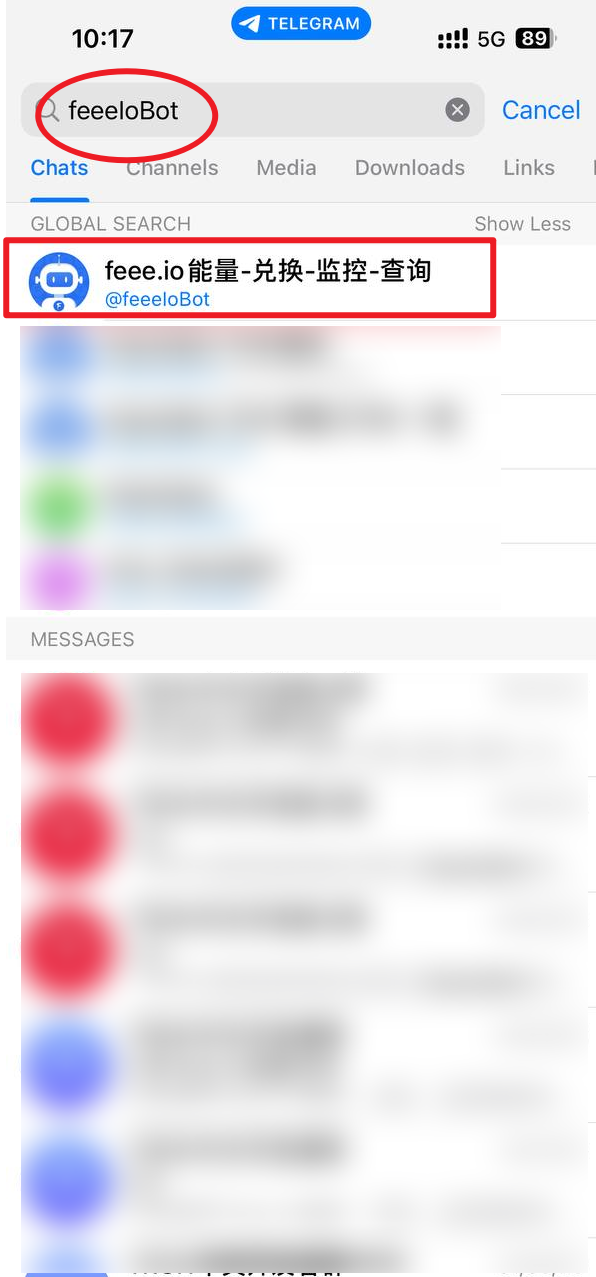
TG search robot: feeeIoBot
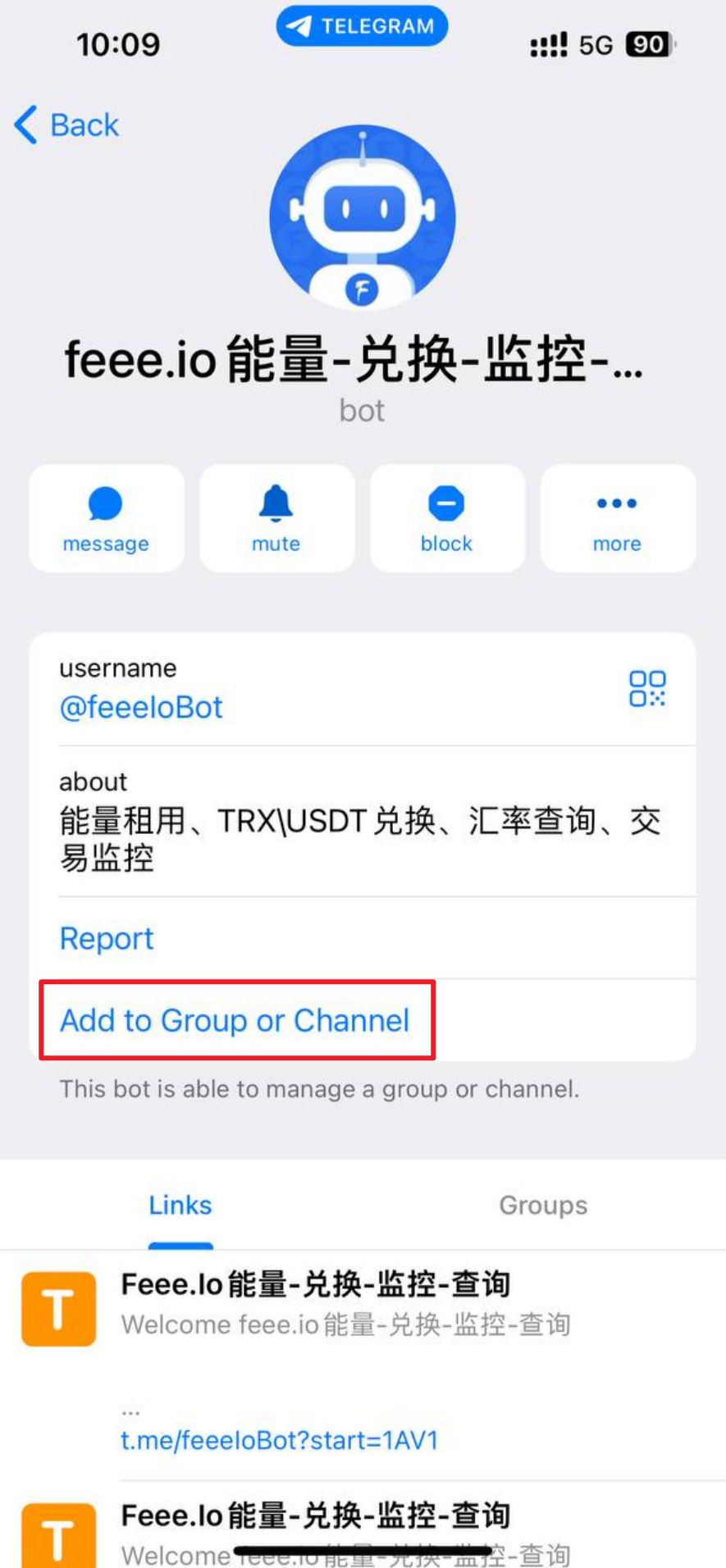
Click Add to Group or Channel
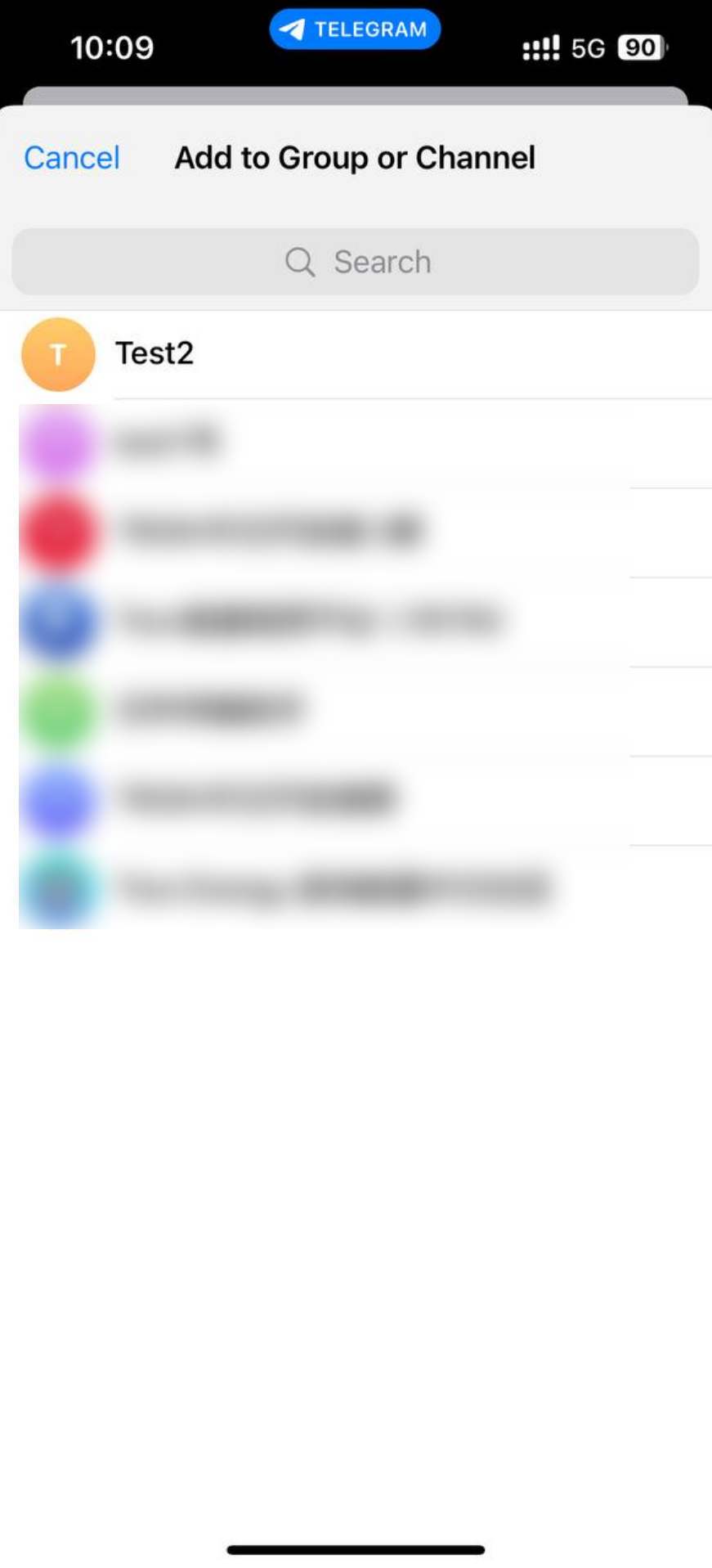
Select the group to which the robot needs to be added
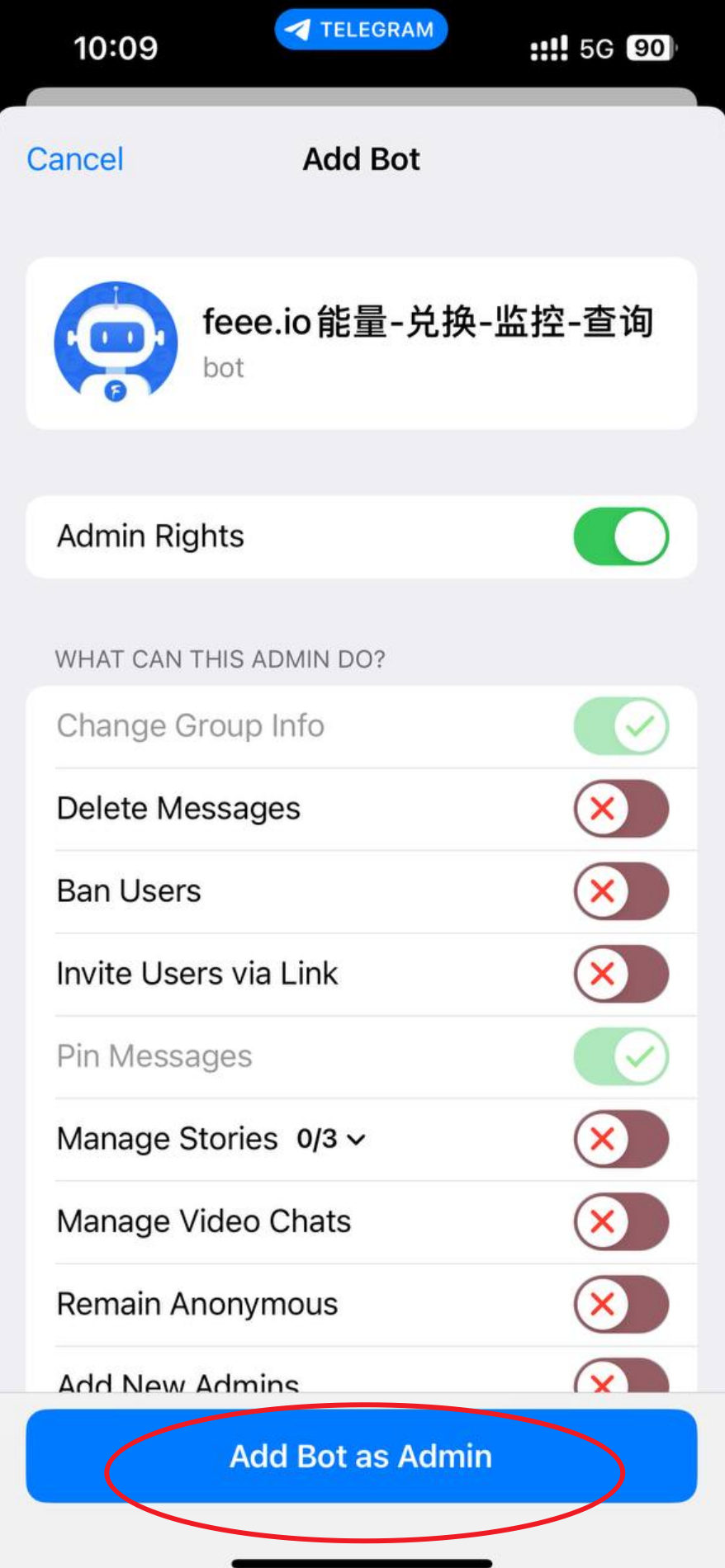
Click Add Bot as Admin
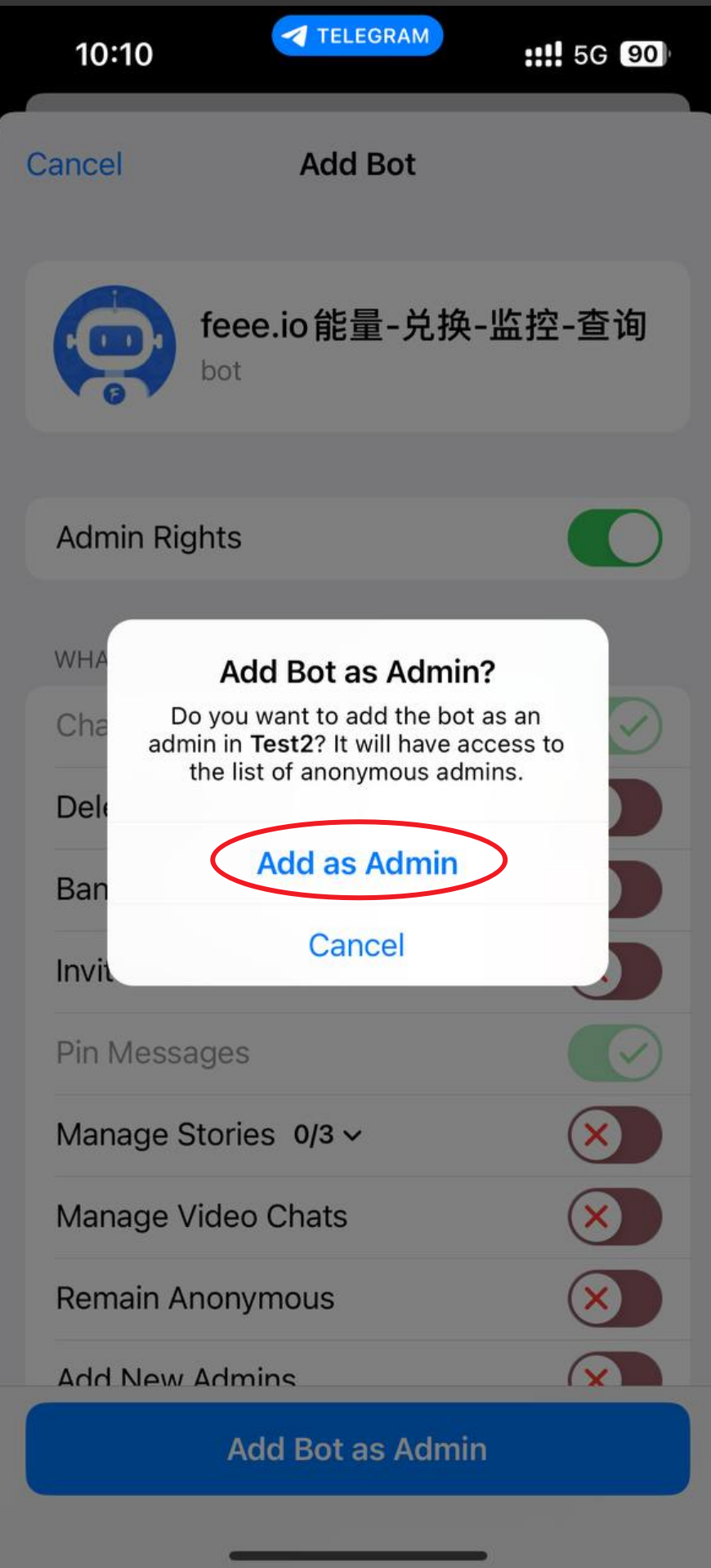
Click Add as Admin
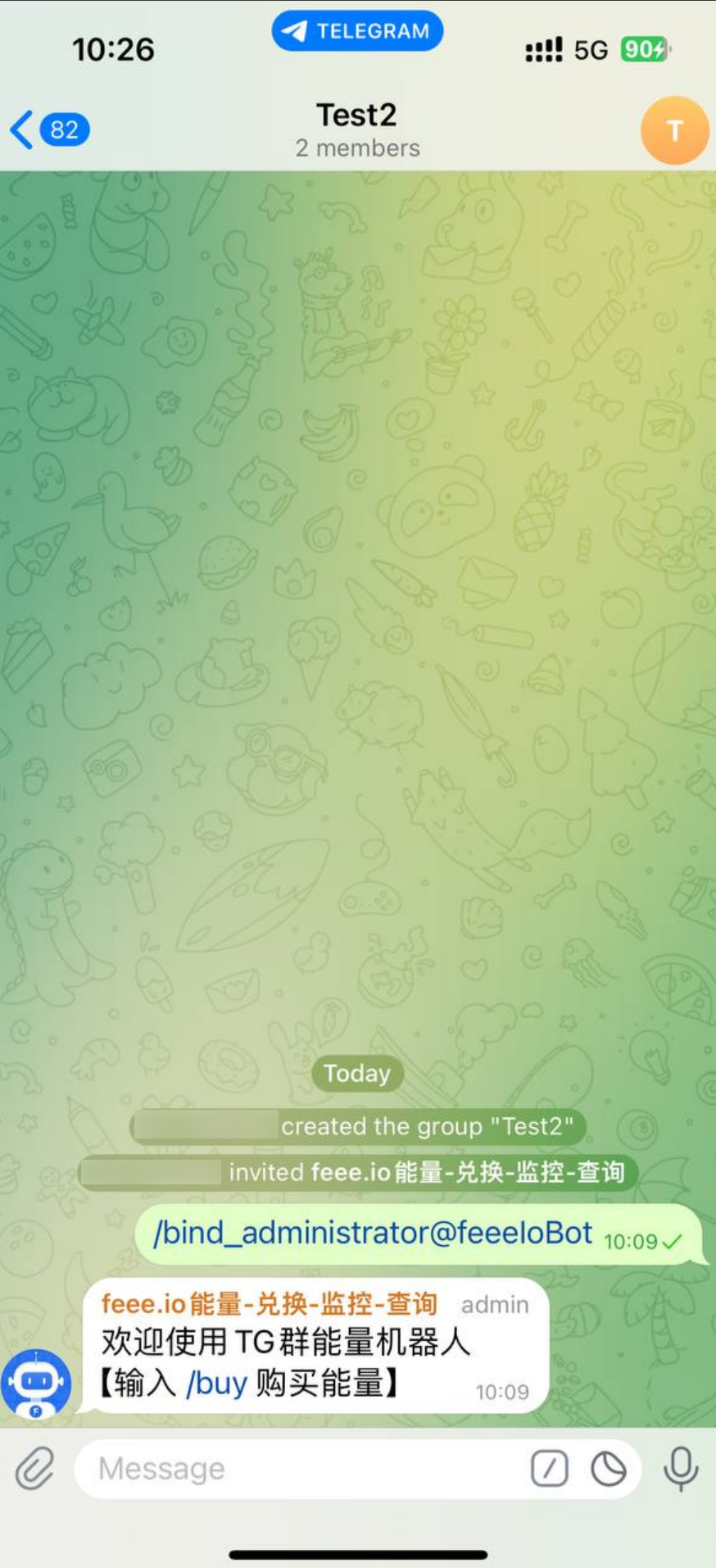
6. Input /bind_administrator@feeeIoBot to bind the group, after the success of the group, the users in the group will be able to get the commission by renting energy through the robot.
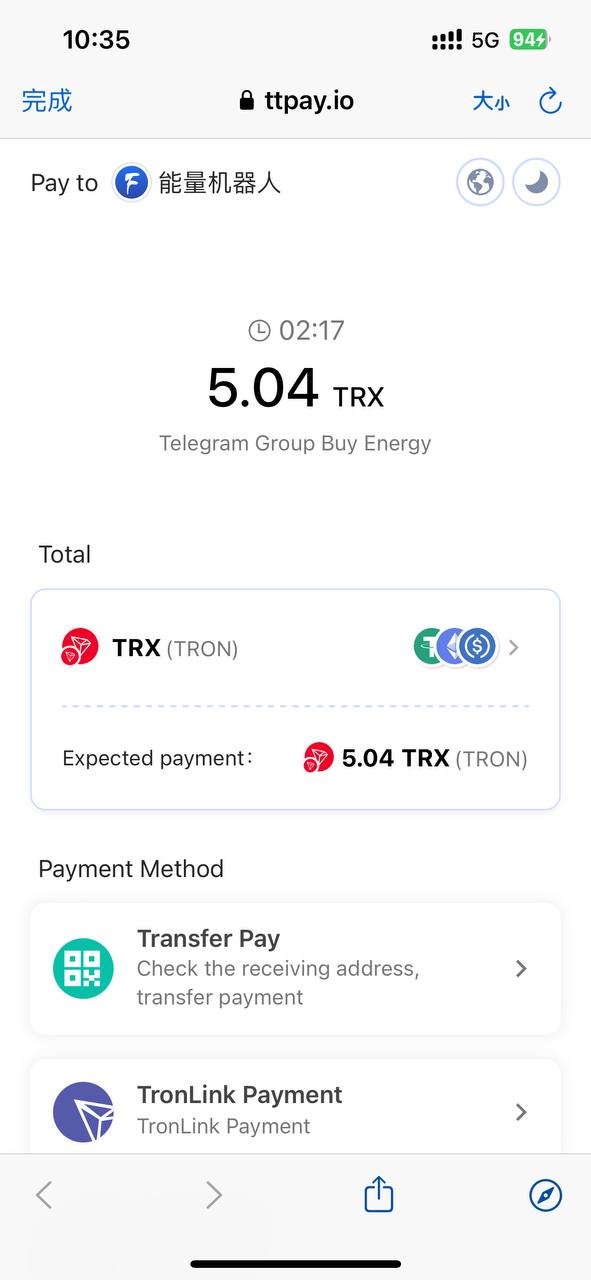
7.Enter /buy@feeeIoBot to rent energy in the group.
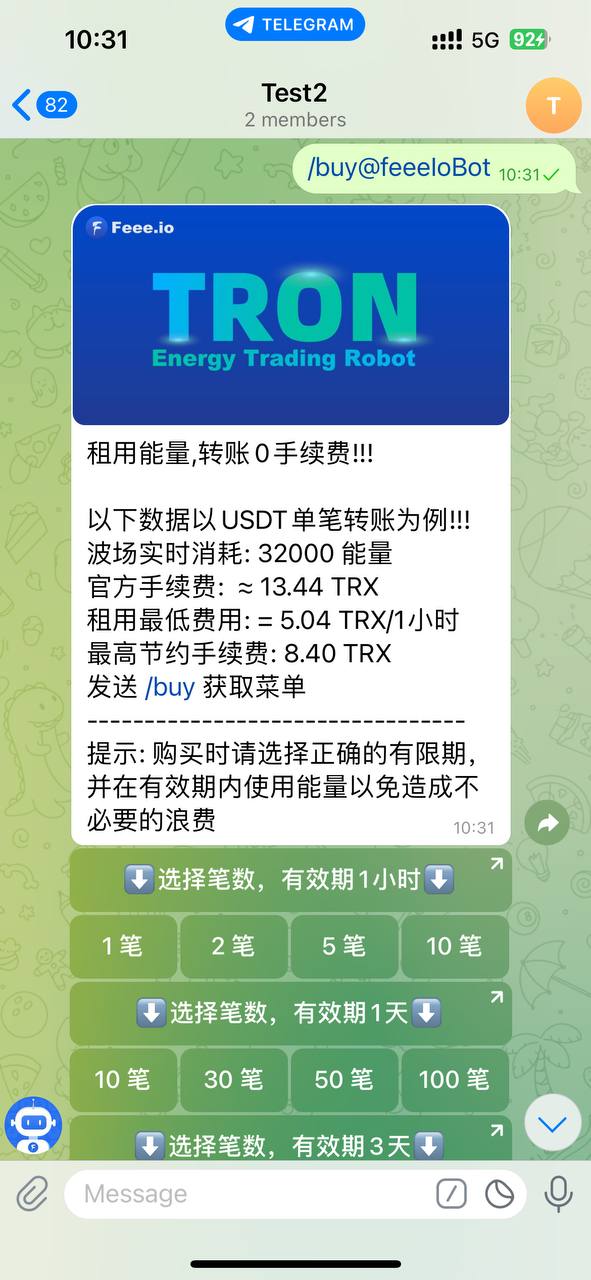
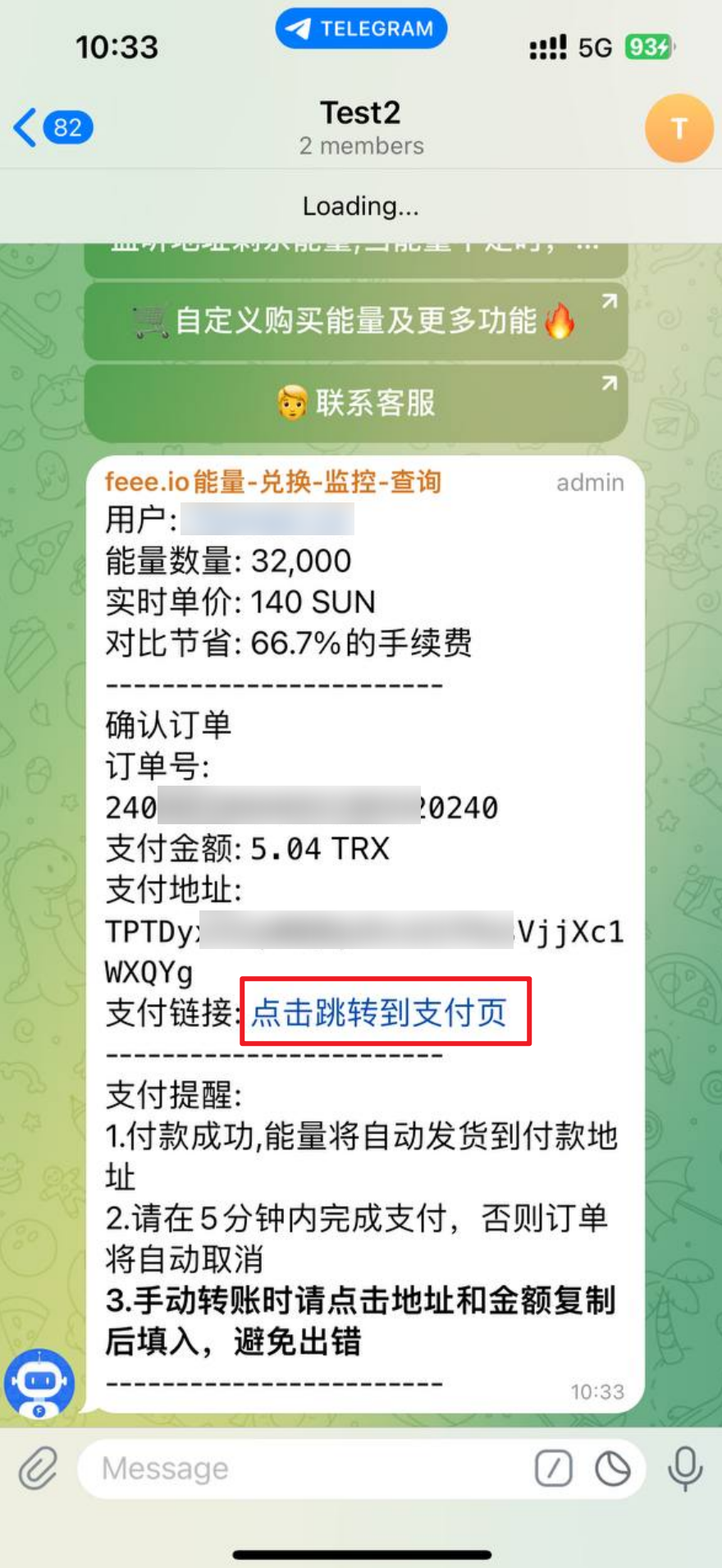
8.Choose the energy package you want to buy and click on the payment link to make the payment
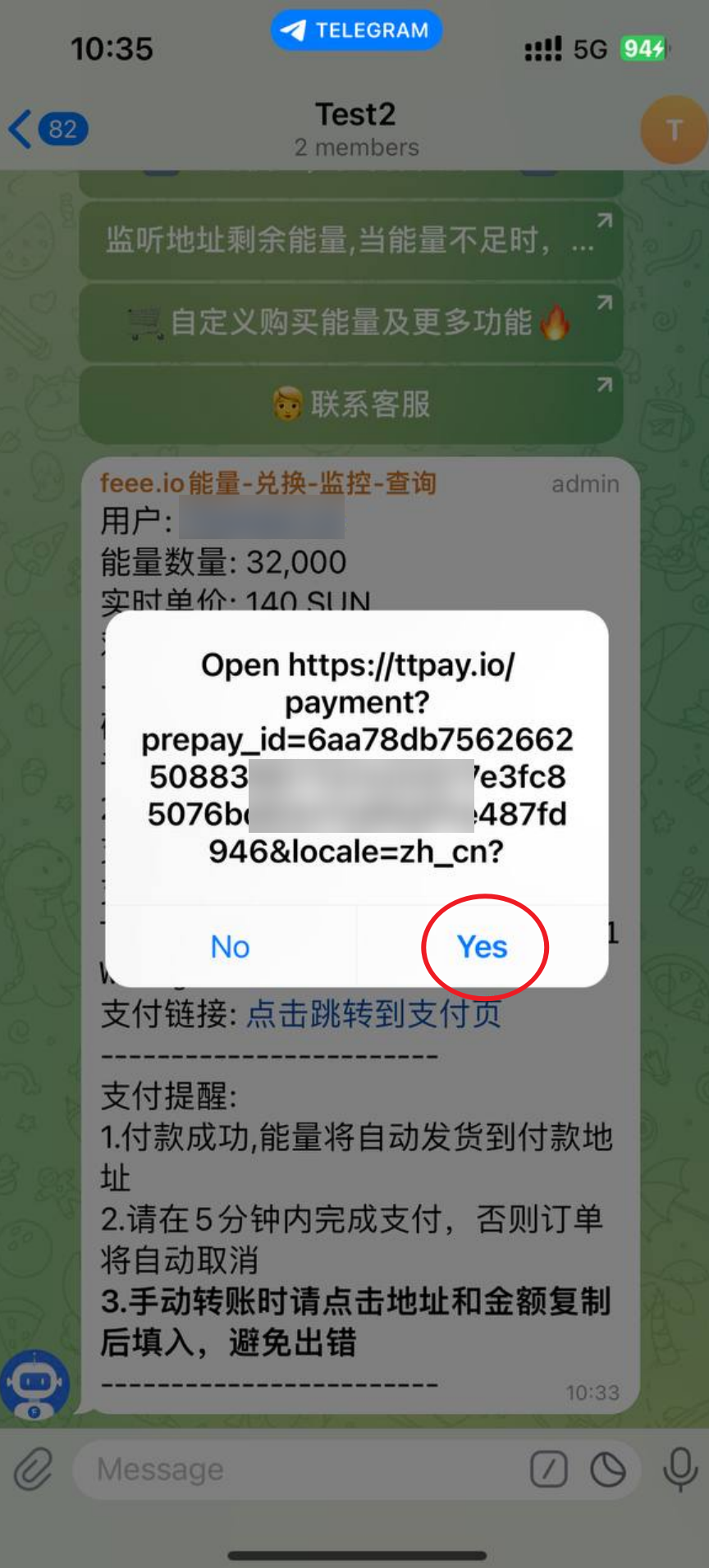
9.Click Yes to jump to the payment page
10.Choose the payment currency and payment method to complete the payment