Feee.io
Вхід/Реєстрація
'%3e%3cg%20id='组_13902'%20data-name='组%2013902'%20transform='translate(-14139.51%20-7418.167)'%3e%3cellipse%20id='椭圆_10375'%20data-name='椭圆%2010375'%20cx='373'%20cy='373'%20rx='373'%20ry='373'%20transform='translate(-13.49%2057.167)'%20fill='url(%23radial-gradient)'/%3e%3cpath%20id='路径_20875'%20data-name='路径%2020875'%20d='M329.248,19.9q0,2.735-5.469,9.571t-6.837,12.306q-10.939,0-31.448,3.076t-30.764,3.076a99.6,99.6,0,0,1-11.28-1.025,100.371,100.371,0,0,0-11.964-1.025q-12.306,1.367-35.55,6.153-21.877,8.2-46.488,45.121t-26.662,61.529a73.892,73.892,0,0,1,20.51-3.418q65.631,0,121.69,22.561l6.153-.684q2.051,5.469,12.306,15.724t12.306,18.459q-2.735,12.306-17.775,19.826-20.51,10.255-23.928,13.673-97.762-7.52-94.344-7.52-10.255,0-54.009,30.764Q84.5,322.755,78.347,356.254T72.194,446.5a18.2,18.2,0,0,0,2.051,8.2l-2.051,1.367-2.051,6.153q-6.837,1.367-19.826,9.571-2.051-6.153-2.051-18.8t-2.051-18.8q1.367-13.673.684-79.3,0-48.539,7.52-78.62L48.266,270.8q0-4.1-.684-12.306V246.869q0-17.091,9.571-33.5,17.091-30.081,17.091-30.764,10.938-25.979,21.877-69.049H93.387q-15.724-1.367-21.193,21.877-7.52.684-21.535,13.673T26.389,162.1q-9.571,0-17.775-15.04T.41,121.077q0-12.306,8.2-28.713l-.684-4.1a60.81,60.81,0,0,1-3.418-6.153l5.469-4.786L7.93,26.049q8.887-14.357,24.612-10.938,2.051-6.153,9.229-12.648t8.546-9.229A187.573,187.573,0,0,1,69.459-9.5l3.418,3.418a12.9,12.9,0,0,0,4.1.684q-.684,0,38.285-5.469,71.784-10.255,102.548-10.255Q319.676-21.123,329.248,19.9Z'%20transform='translate(210.119%20238.766)'%20fill='url(%23linear-gradient)'/%3e%3c/g%3e%3c/g%3e%3c/svg%3e)
Recently, we’ve received a lot of feedback from sellers looking for more control over their energy rental payouts. To help you manage your cash flow more flexibly and simplify your reconciliation process, Feee.io has officially launched the Auto-Withdrawal Cycle feature in the seller dashboard.
Previously, you might have had to frequently withdraw funds manually or couldn't control the timing of automated payouts. Now, simply enable "Auto-Withdrawal" and you can customize how often the system automatically transfers your earnings, perfectly aligning with your financial planning and accounting habits.
This update supports three withdrawal frequencies:
How to try the new feature:
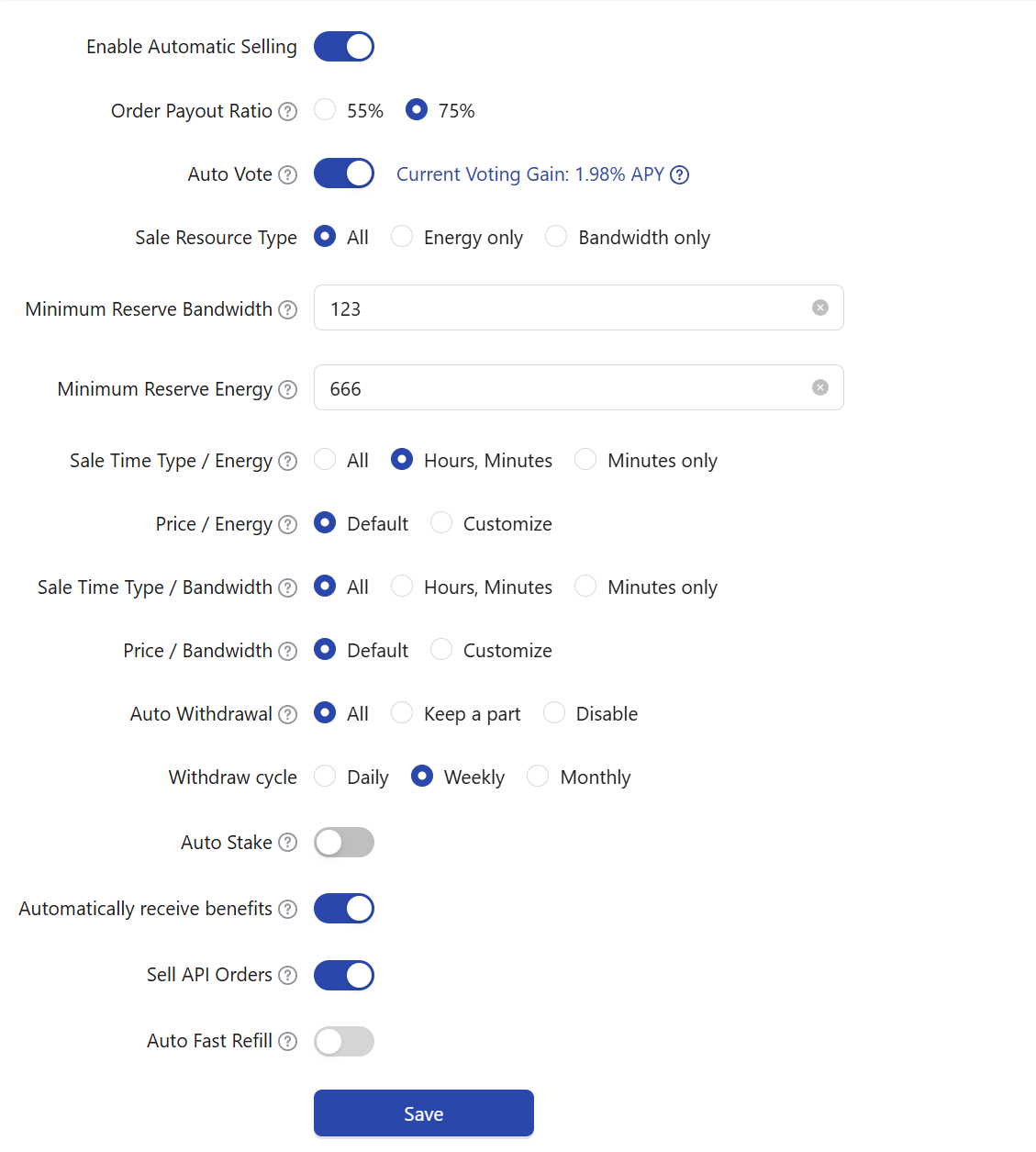
Log in to Feee.io, go to the dashboard, and navigate to Seller Center ->Settings to find the "Auto-Withdrawal" option. After selecting "Withdraw All" or "Keep a Portion," you can choose your preferred frequency under Auto-Withdrawal Cycle. Click [Save] at the bottom of the page to apply the changes.
We remain committed to providing TRX sellers with a more hassle-free and efficient energy rental experience. If you have any other suggestions for improvement, please feel free to contact us.
Feee.io