Feee.io
Sign in / Sign up
'%3e%3cg%20id='组_13902'%20data-name='组%2013902'%20transform='translate(-14139.51%20-7418.167)'%3e%3cellipse%20id='椭圆_10375'%20data-name='椭圆%2010375'%20cx='373'%20cy='373'%20rx='373'%20ry='373'%20transform='translate(-13.49%2057.167)'%20fill='url(%23radial-gradient)'/%3e%3cpath%20id='路径_20875'%20data-name='路径%2020875'%20d='M329.248,19.9q0,2.735-5.469,9.571t-6.837,12.306q-10.939,0-31.448,3.076t-30.764,3.076a99.6,99.6,0,0,1-11.28-1.025,100.371,100.371,0,0,0-11.964-1.025q-12.306,1.367-35.55,6.153-21.877,8.2-46.488,45.121t-26.662,61.529a73.892,73.892,0,0,1,20.51-3.418q65.631,0,121.69,22.561l6.153-.684q2.051,5.469,12.306,15.724t12.306,18.459q-2.735,12.306-17.775,19.826-20.51,10.255-23.928,13.673-97.762-7.52-94.344-7.52-10.255,0-54.009,30.764Q84.5,322.755,78.347,356.254T72.194,446.5a18.2,18.2,0,0,0,2.051,8.2l-2.051,1.367-2.051,6.153q-6.837,1.367-19.826,9.571-2.051-6.153-2.051-18.8t-2.051-18.8q1.367-13.673.684-79.3,0-48.539,7.52-78.62L48.266,270.8q0-4.1-.684-12.306V246.869q0-17.091,9.571-33.5,17.091-30.081,17.091-30.764,10.938-25.979,21.877-69.049H93.387q-15.724-1.367-21.193,21.877-7.52.684-21.535,13.673T26.389,162.1q-9.571,0-17.775-15.04T.41,121.077q0-12.306,8.2-28.713l-.684-4.1a60.81,60.81,0,0,1-3.418-6.153l5.469-4.786L7.93,26.049q8.887-14.357,24.612-10.938,2.051-6.153,9.229-12.648t8.546-9.229A187.573,187.573,0,0,1,69.459-9.5l3.418,3.418a12.9,12.9,0,0,0,4.1.684q-.684,0,38.285-5.469,71.784-10.255,102.548-10.255Q319.676-21.123,329.248,19.9Z'%20transform='translate(210.119%20238.766)'%20fill='url(%23linear-gradient)'/%3e%3c/g%3e%3c/g%3e%3c/svg%3e)
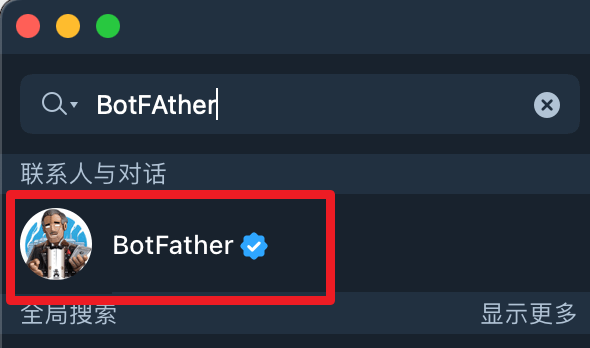
Search for 'BotFather' on Telegram
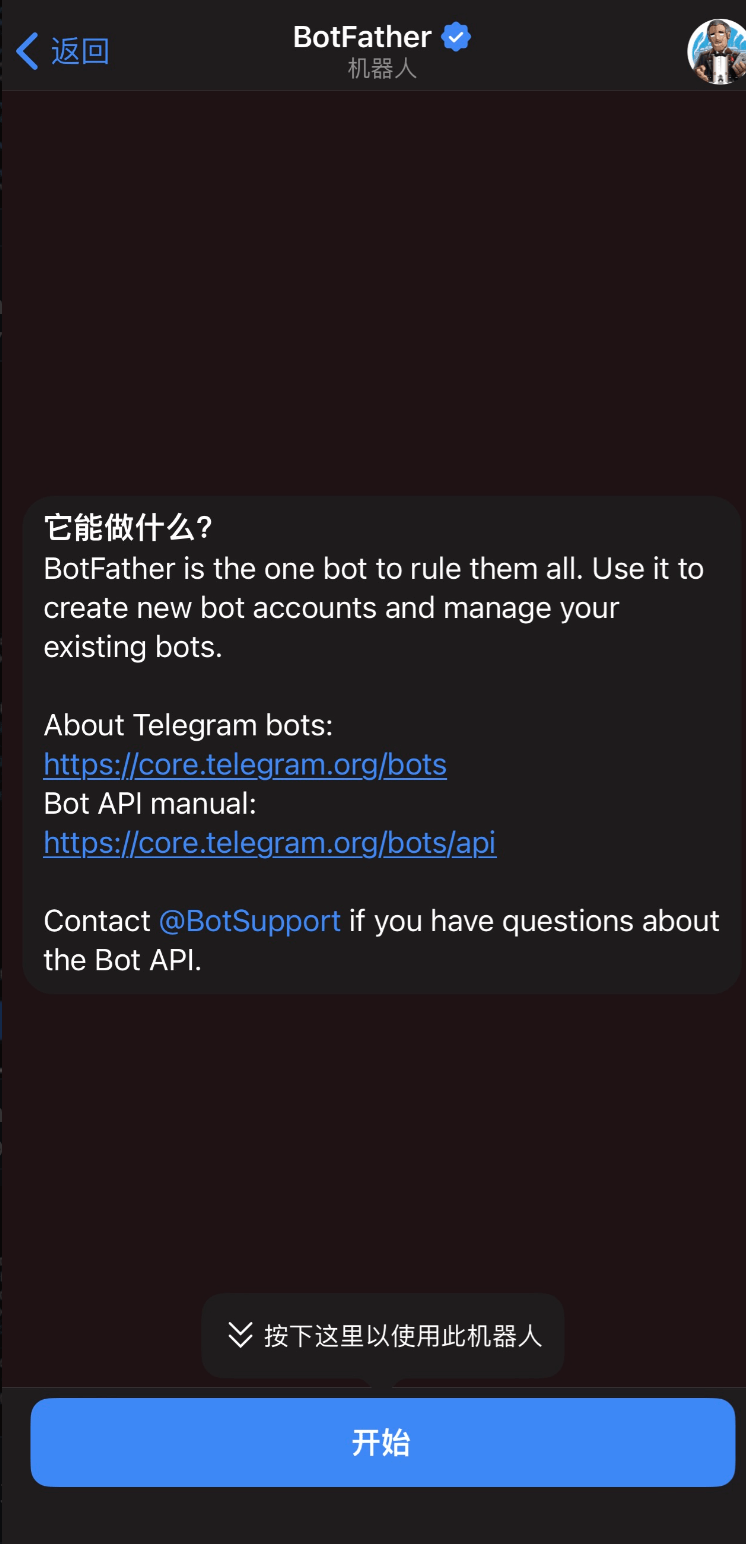
Click to start (you can skip it if you have already started)
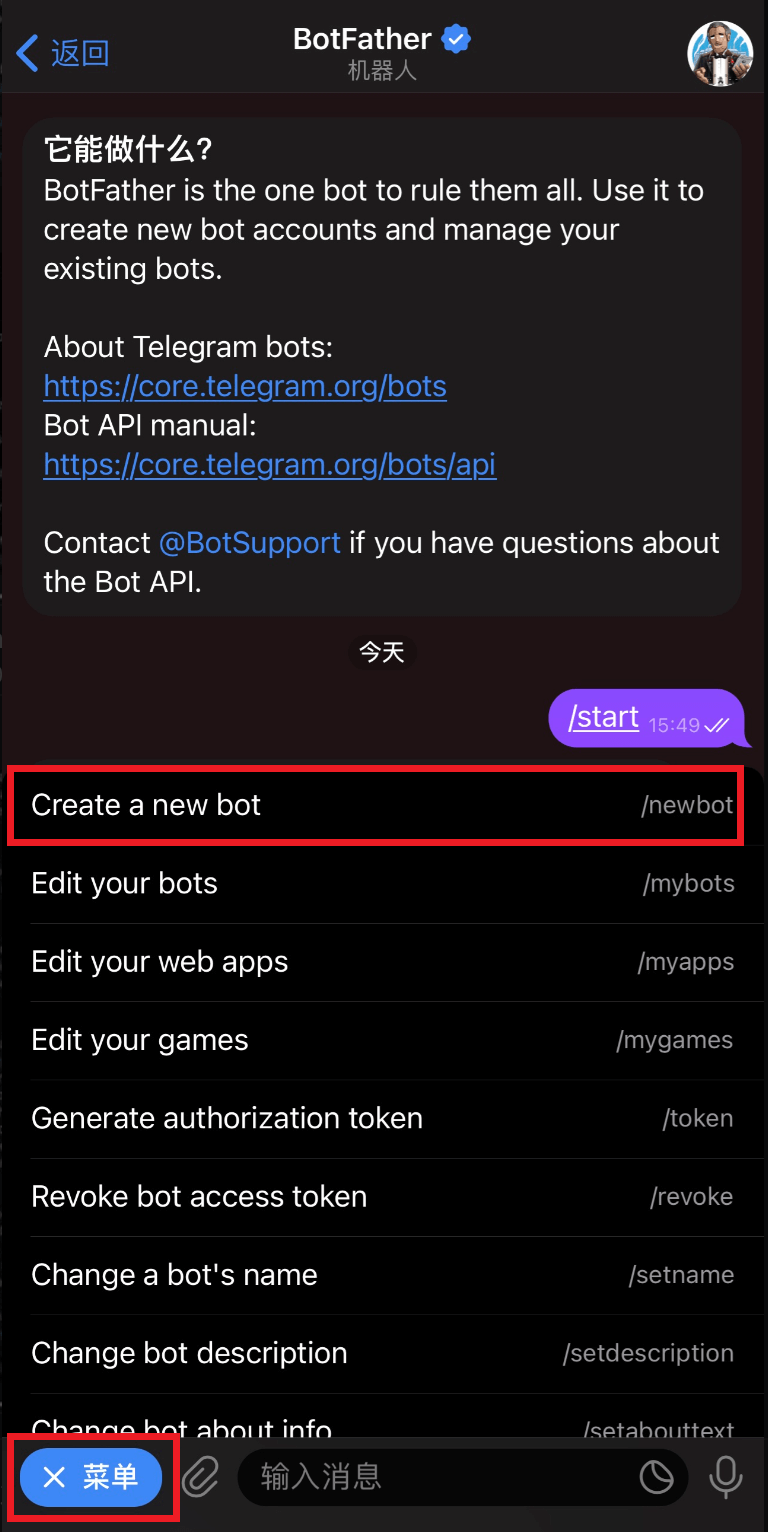
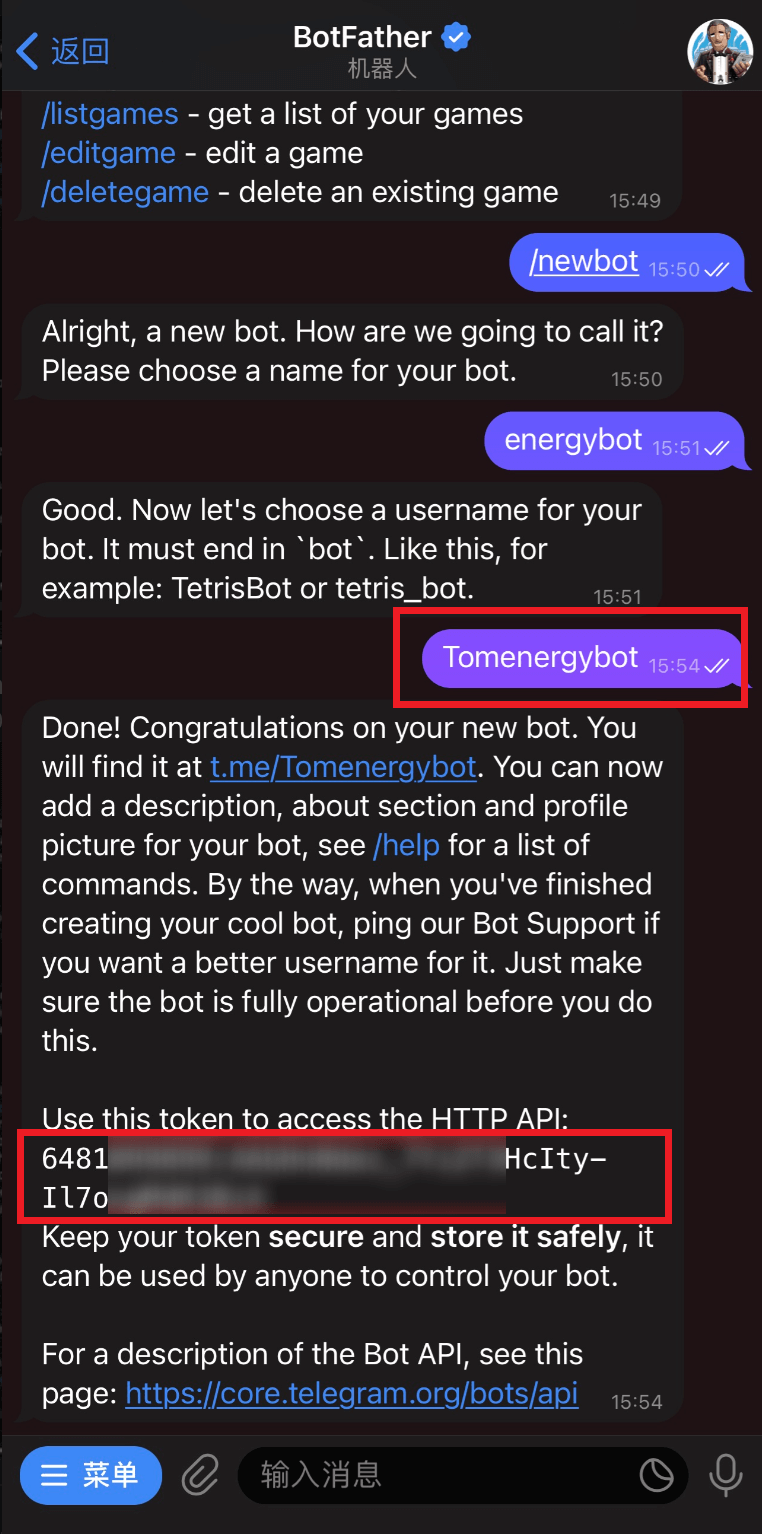
Click the menu button in the lower left corner and select "Create a new bot" (or send "/newbot") to create a robot
Set the name of the robot (customizable name, for example: energybot)
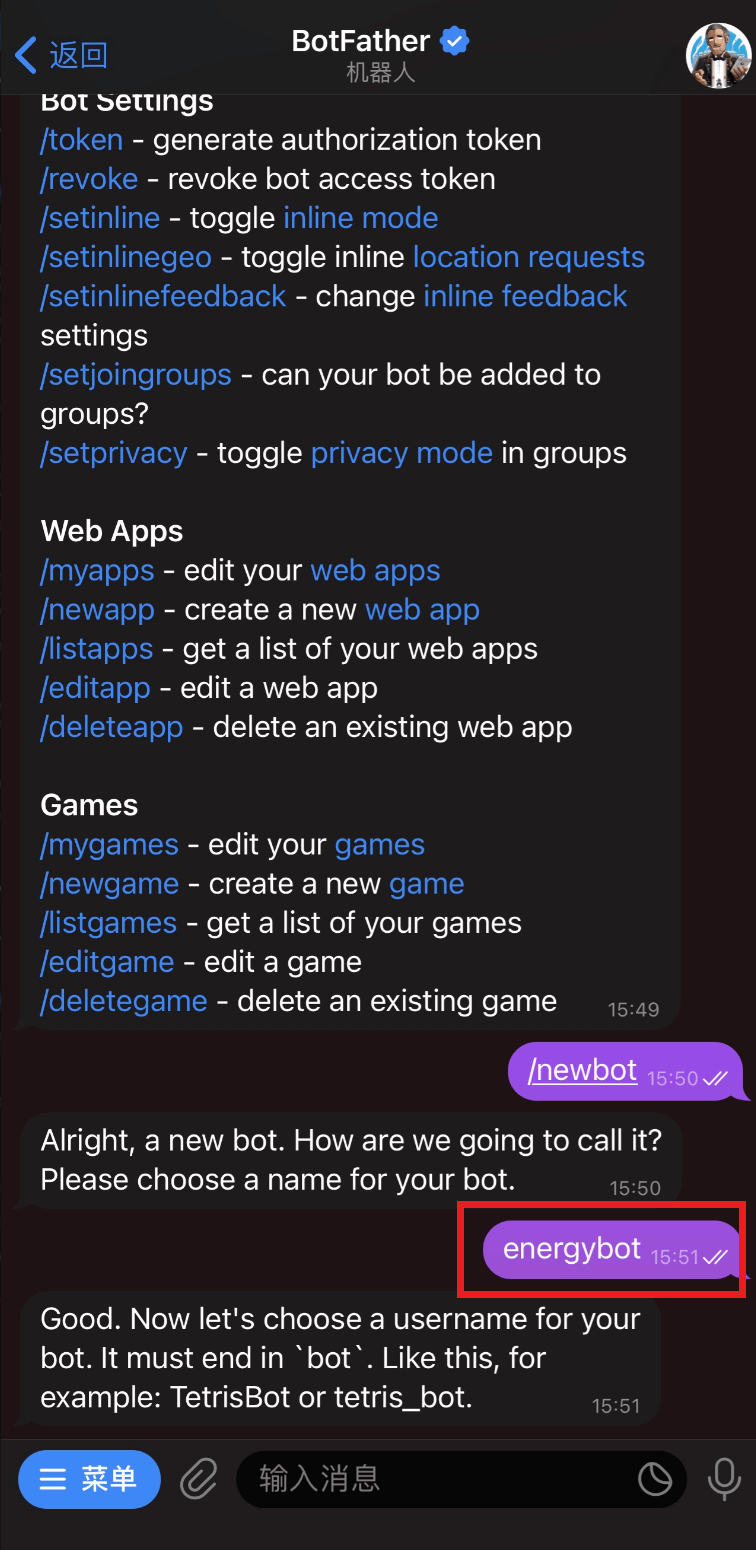
Set the robot's account (account can be customized, for example: Tomenergybot). If the setting is successful, the robot's link and token value will be returned (please record this string of token values, and you need to submit it for the next step of activation)
The following steps are to activate webapp (not necessary, webapp provides more comprehensive and convenient services, you can choose to create according to your own needs)
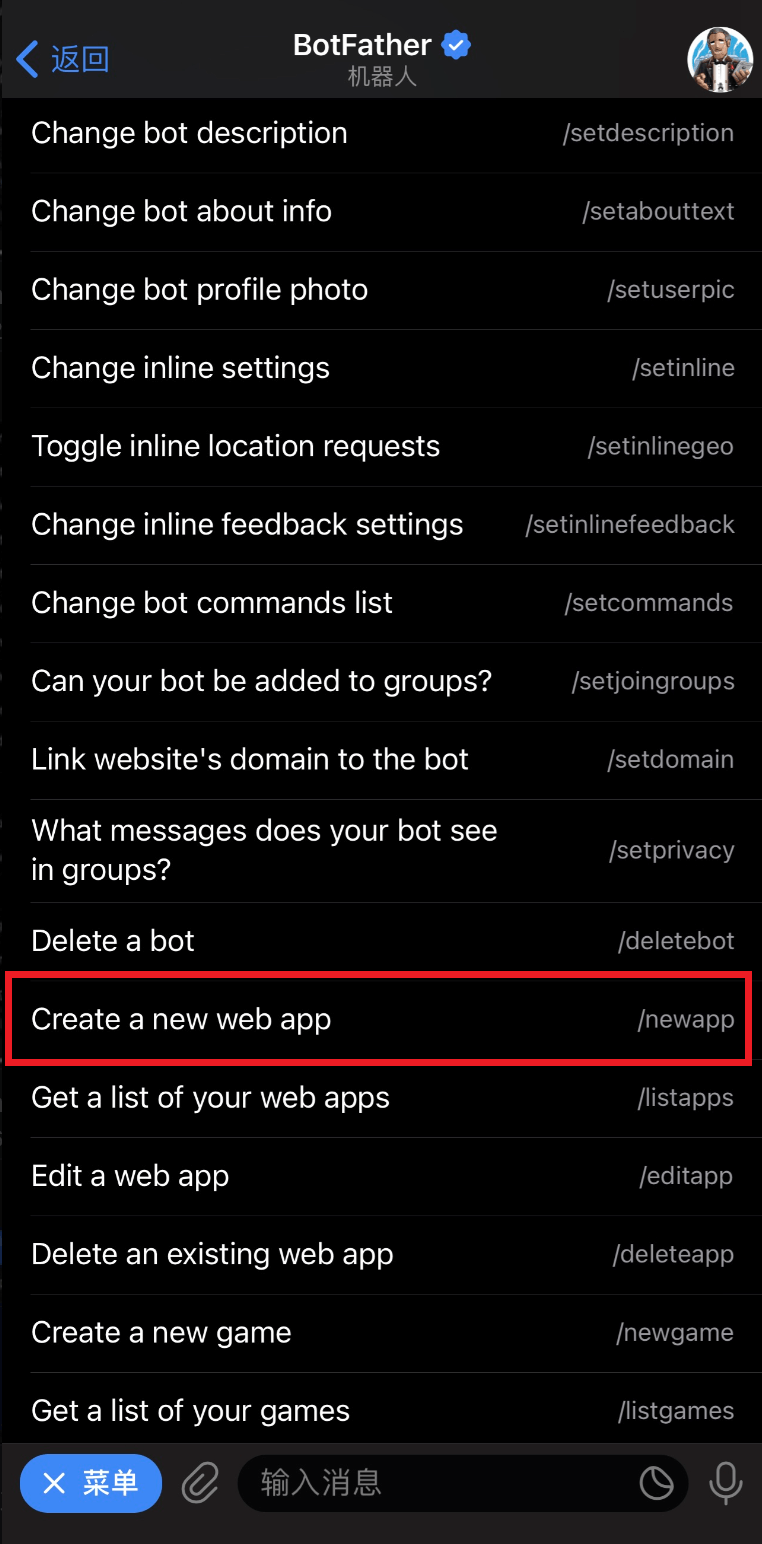
To create a web app, click the menu in the lower left corner and select "Create a new web app" (or send "/newapp")
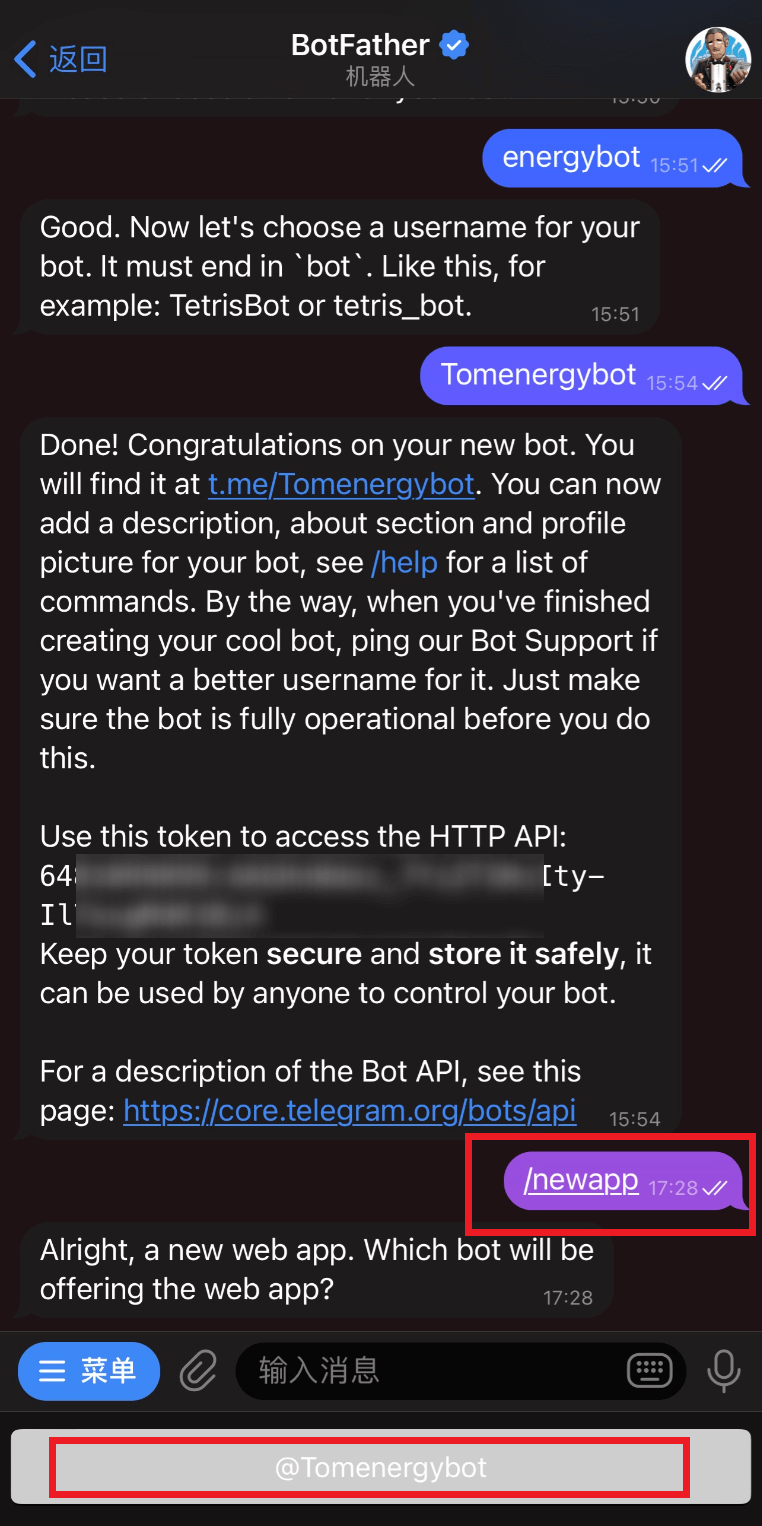
Select the robot to be bound
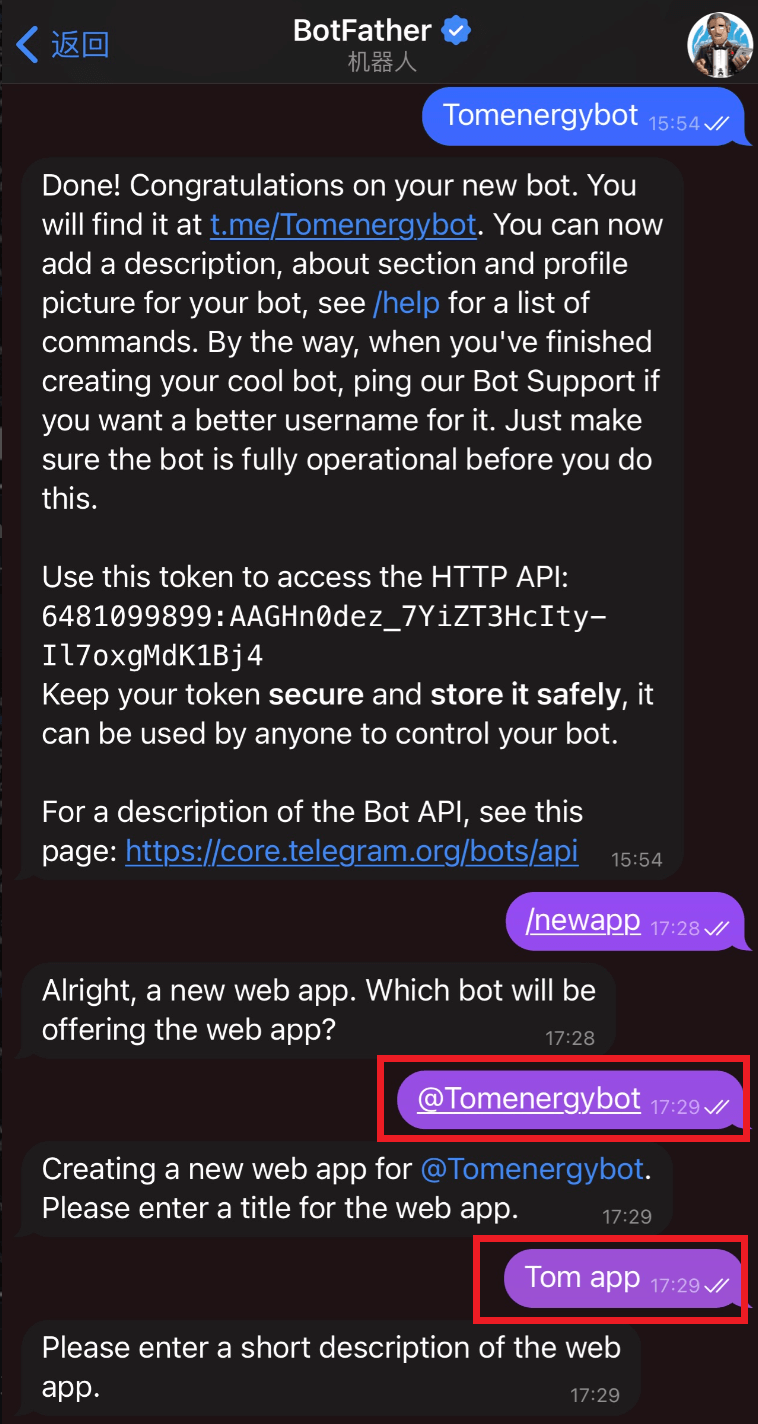
After choosing to bind the robot, set the webapp title (the title can be customized, for example: Tom app)
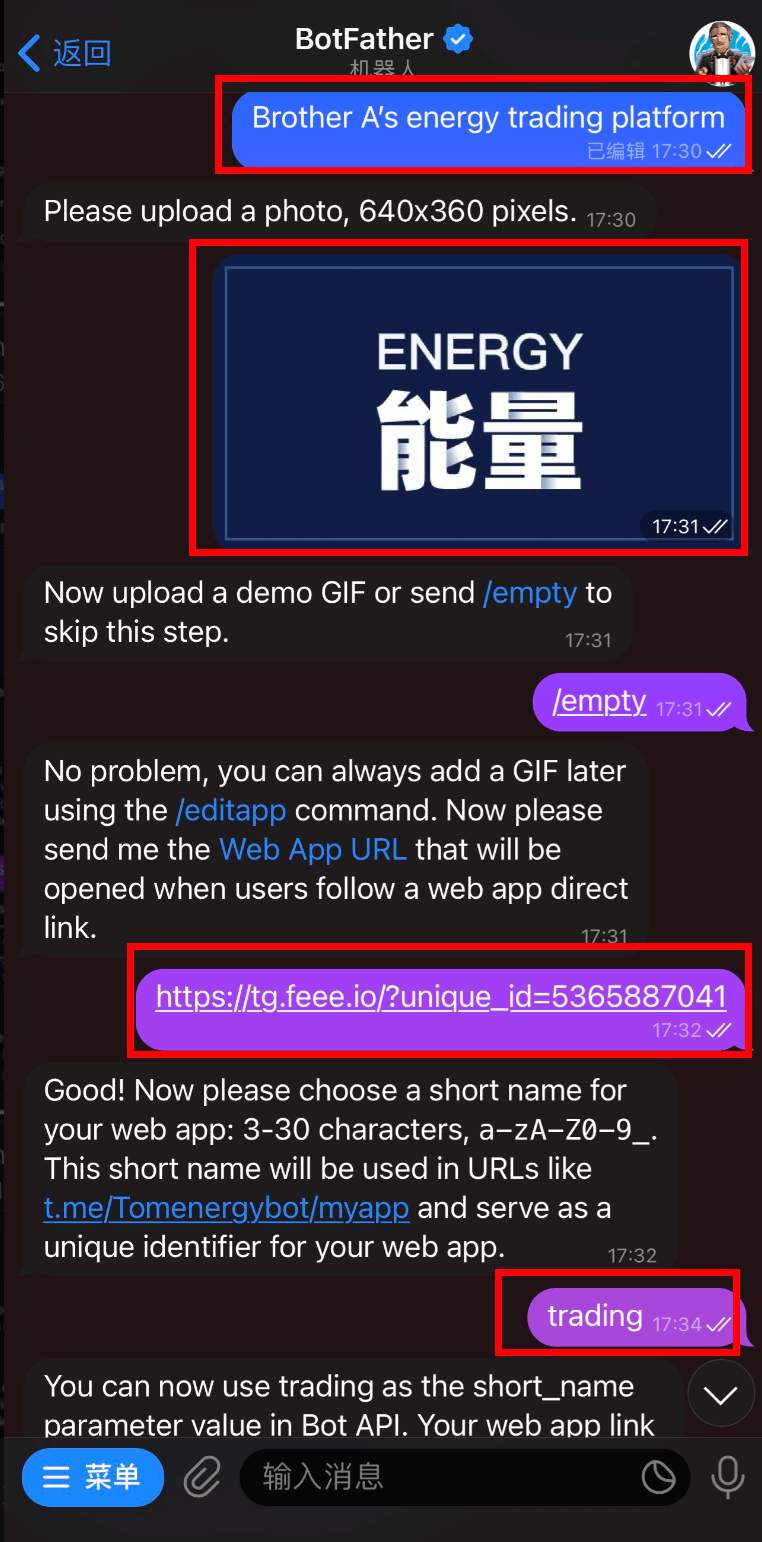
Set description (customizable description, for example: Brother A's energy trading platform), pictures (can be customized or take the pictures provided by the official website), GIF does not need to be set (send/empty), Web App URL (set "https://tg.feee.io/?unique_id=your AgentID"), short name (settings trading or customize the name, please record the short name value. You need to submit this short name value for the next activation)
At this point, the robot and webapp have been created.